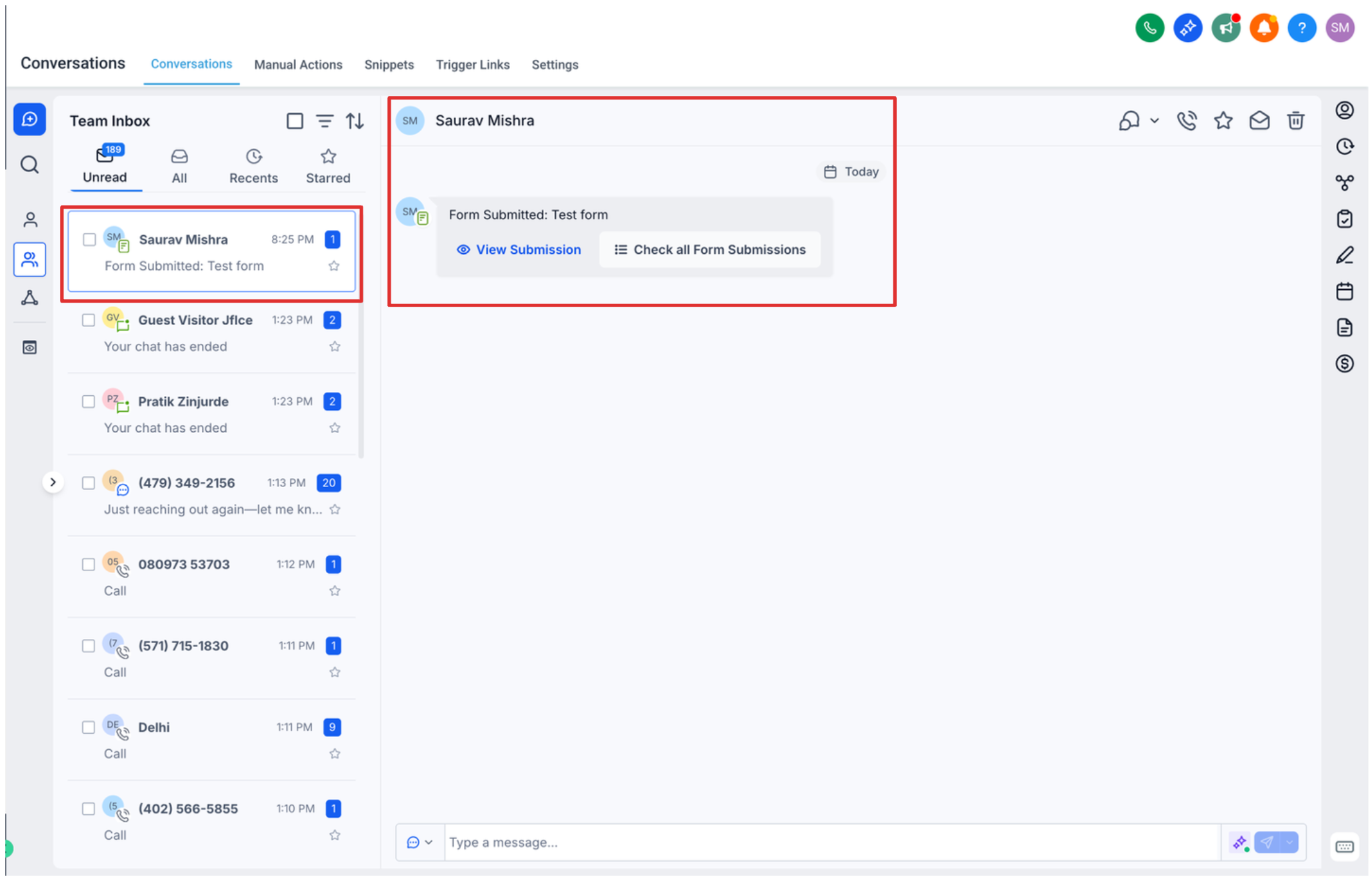
Access Form Submissions in Conversations
Feature Overview
Users can now easily access and review form submissions directly within the Conversations section, improving visibility and response workflows.
What’s New
• Form Submissions Embedded in Conversations
Form responses are now automatically attached to the relevant conversation thread.
Enables quicker context without switching tabs.
• Unified View of Contact Interactions
View messages, form submissions, and interaction history in one place.
Reduces the need to navigate across multiple sections.
• Improved Lead Context for Faster Follow-ups
Instantly see what a lead submitted before replying.
Helps personalize communication and improve conversion rates.
How It Works
Navigate to Conversations.
Open a conversation tied to a contact who submitted a form.
Locate the form submission card/message within the thread.
Click to expand and view full submission details.
Key Notes
Works for forms created within HighLevel.
Submissions appear automatically when tied to a contact/conversation.
Visibility depends on proper form-to-contact association.
Impact
Faster response times
Better context for sales/support teams
Streamline


d communication workflows