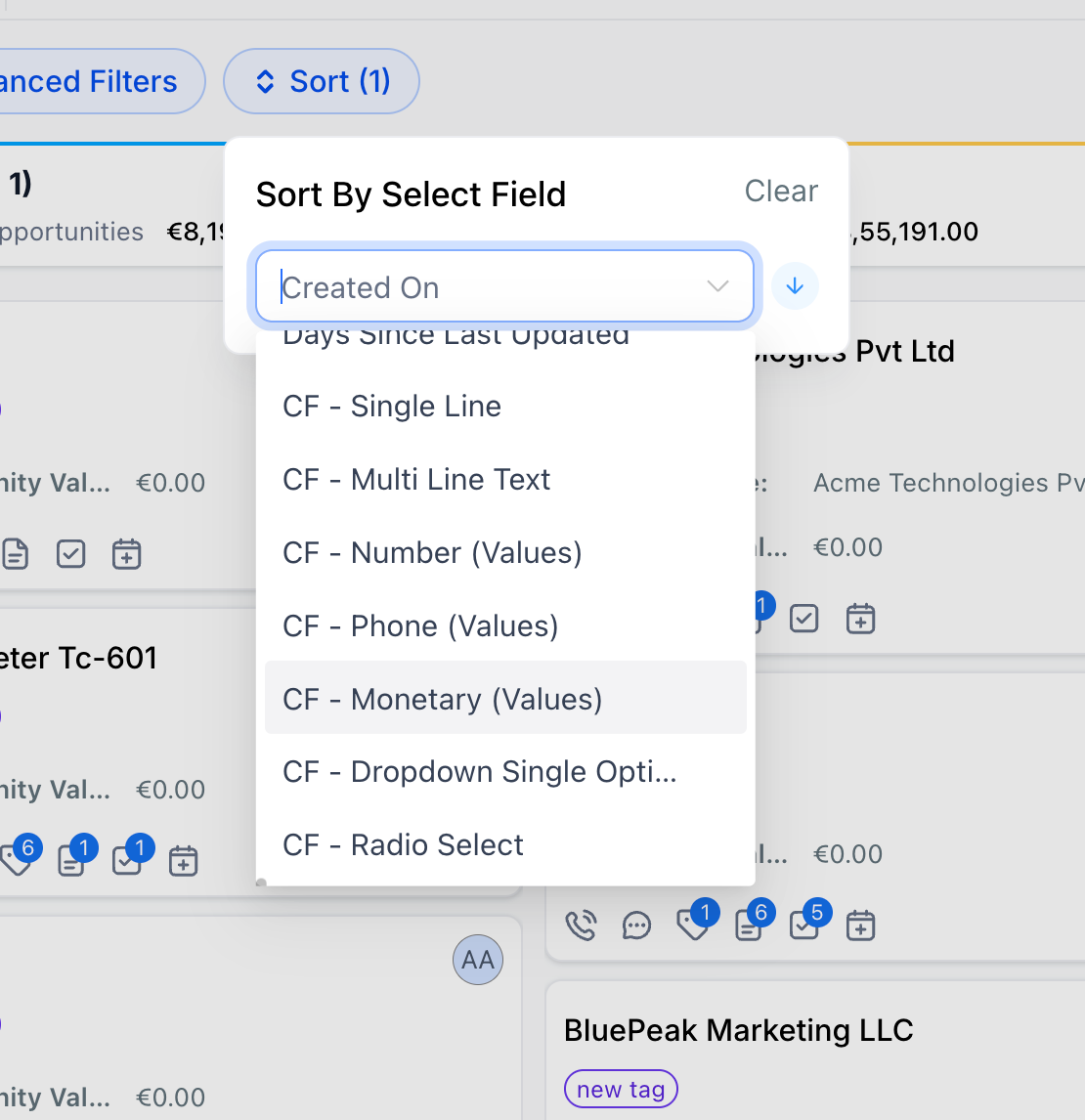
Opportunities – Sort by Custom Fields
🚀 Overview
You can now sort Opportunities using custom fields. Organize your pipeline based on the data that actually matters to your business.
✨ What’s New
Sort Opportunities using custom fields
Supported field types: Single Line, Multi Line Text, Dropdown (Single Select), Radio Select, Number, Monetary, Phone, Date
Works with existing sort functionality
Available across all pipelines and views
👷 How It Works
Go to Opportunities
Click on Sort

Select a custom field

Choose ascending or descending
Opportunities reorder instantly
⭐ Why It Matters
Prioritize deals based on your own data
Reduce manual effort in pipeline management
Get better visibility into key deal attributes
Move beyond default-field limitations